Context
Plenty of people who start with Squarespace aren't ready for a full website yet, and the growth question is what their next step should be instead. Domains customers made that gap obvious. When someone buys a domain, the typical next step is to build a website. We didn't have a meaningful path between "I have a domain" and "I have a full site," which meant a real portion of those customers bought, parked, and never came back.
PayPal had a generic product called Payment Links that lets anyone collect money with a single URL. The opportunity was to bring that capability into Squarespace, anchored to the one thing these customers already had: a domain carrying their own brand. A parked domain could start earning the day it was registered.
Problem
PayPal Payment Links is built for the open web. It assumes generic URLs, generic checkout pages, and a user who's primarily logged into PayPal. We needed it to feel like a Squarespace feature, anchored to a specific domain, surfaced inside Domains management. That meant designing around PayPal's API rather than on top of it.
There were also broader considerations the team worked through together. Squarespace had its own Pay Links product on the roadmap, and we needed to be deliberate about how the PayPal version sat alongside it. The strategic value of the partnership was clear: PayPal would also sell Squarespace domains, bringing in net-new customers who'd be primed for the rest of the platform. Designing the experience meant holding all of that in view, the customer in front of us, the partnership behind us, and the longer roadmap ahead.
Approach
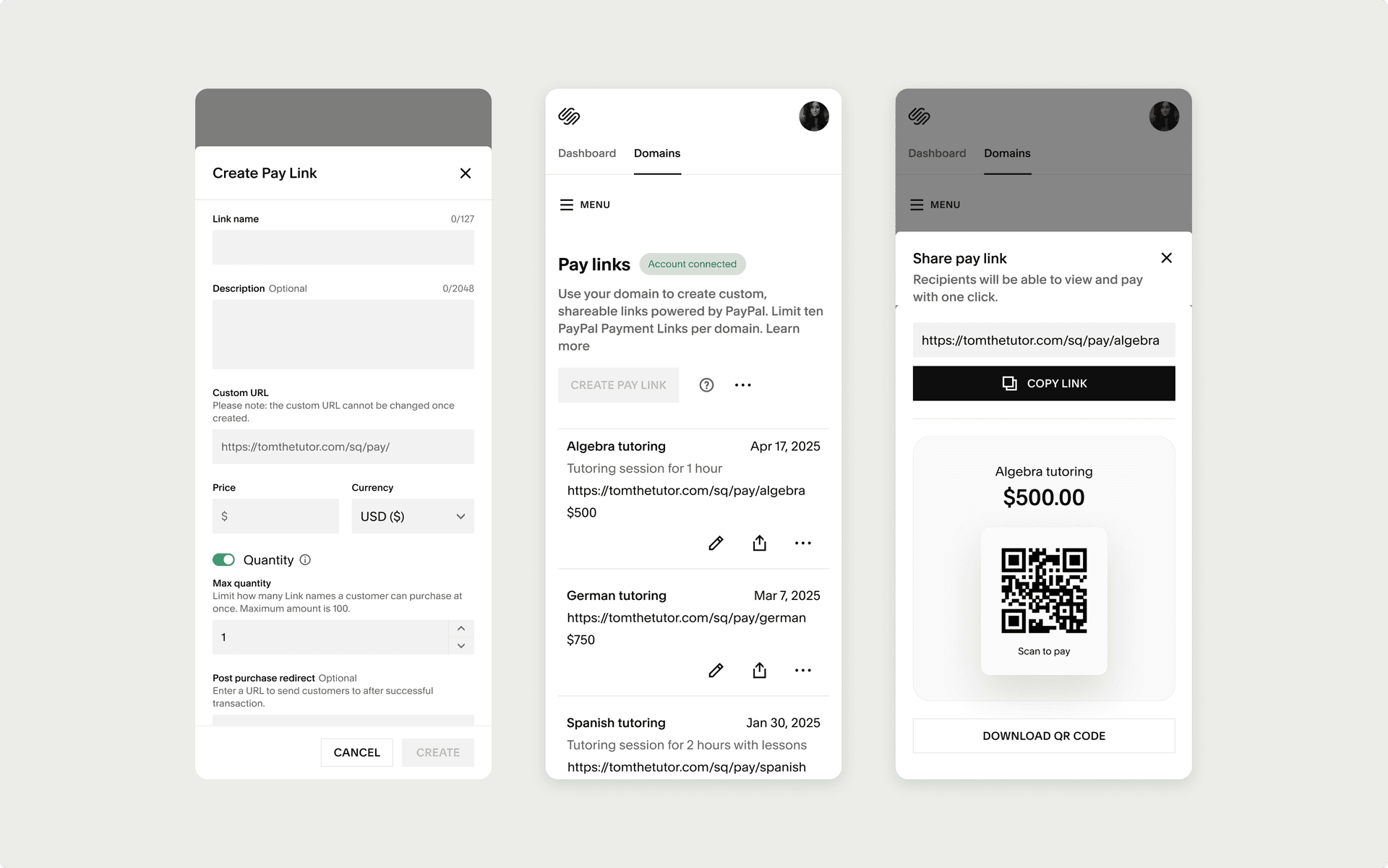
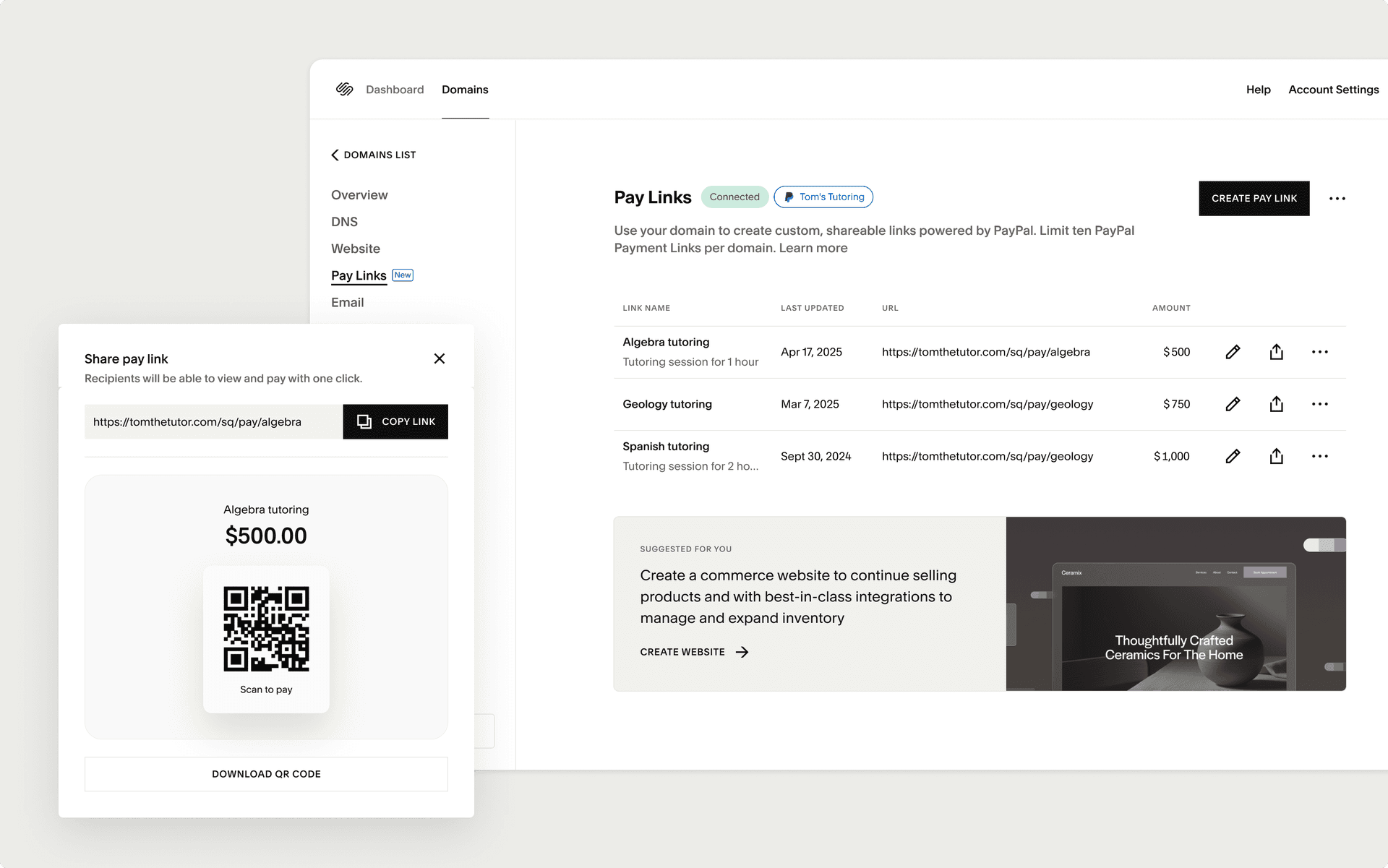
Pay Links would live as a new tab inside Domains management, peer to Website, Email, and DNS. The job was to make it feel like it had always belonged there.
Early conversations with PayPal centered on scope. Their existing Payment Links product carried a long list of features: custom images, custom checkout screens, granular branding controls, built up over years of their own product work. We worked closely with them to land on a smaller MVP: ten links per domain, simple fields, one consistent vanity URL pattern under /pay. Most of my work in that phase was alignment, helping product, engineering, and PayPal's team agree on what was in and what was out, and articulating why a restrained first release served the partnership better than a maximal one.
Pay Links is meant to be a starting step, not a destination. That principle shaped the rest of the design.
Solution
The dashboard is one tab with a stateful header that shifts based on where the customer is: empty, connected, active, limit-reached, token-expired. Each state has its own clear next action.
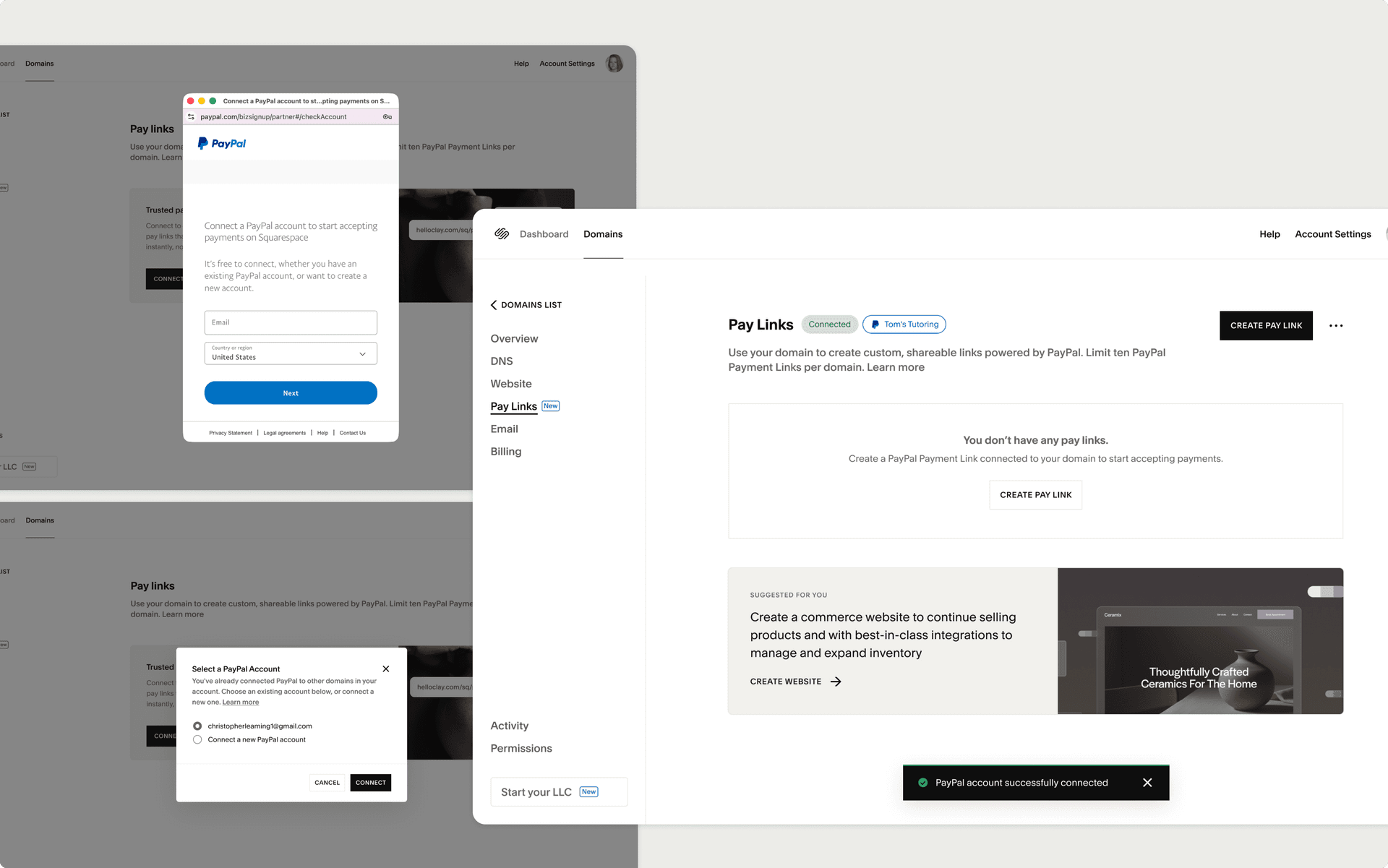
The hardest design problem wasn't connecting a PayPal account. It was everything that happened after. PayPal sends a constant stream of status signals back to Squarespace: verification pending, payments not allowed, application denied, processing approvals. Each one needed its own page state, banner, and copy. Each had implications for any Pay Links the customer had already created. We mapped every combination of "connection state by link state," then worked through the right language for each, balancing transparency for the customer with avoiding internal jargon that wouldn't mean anything to them.
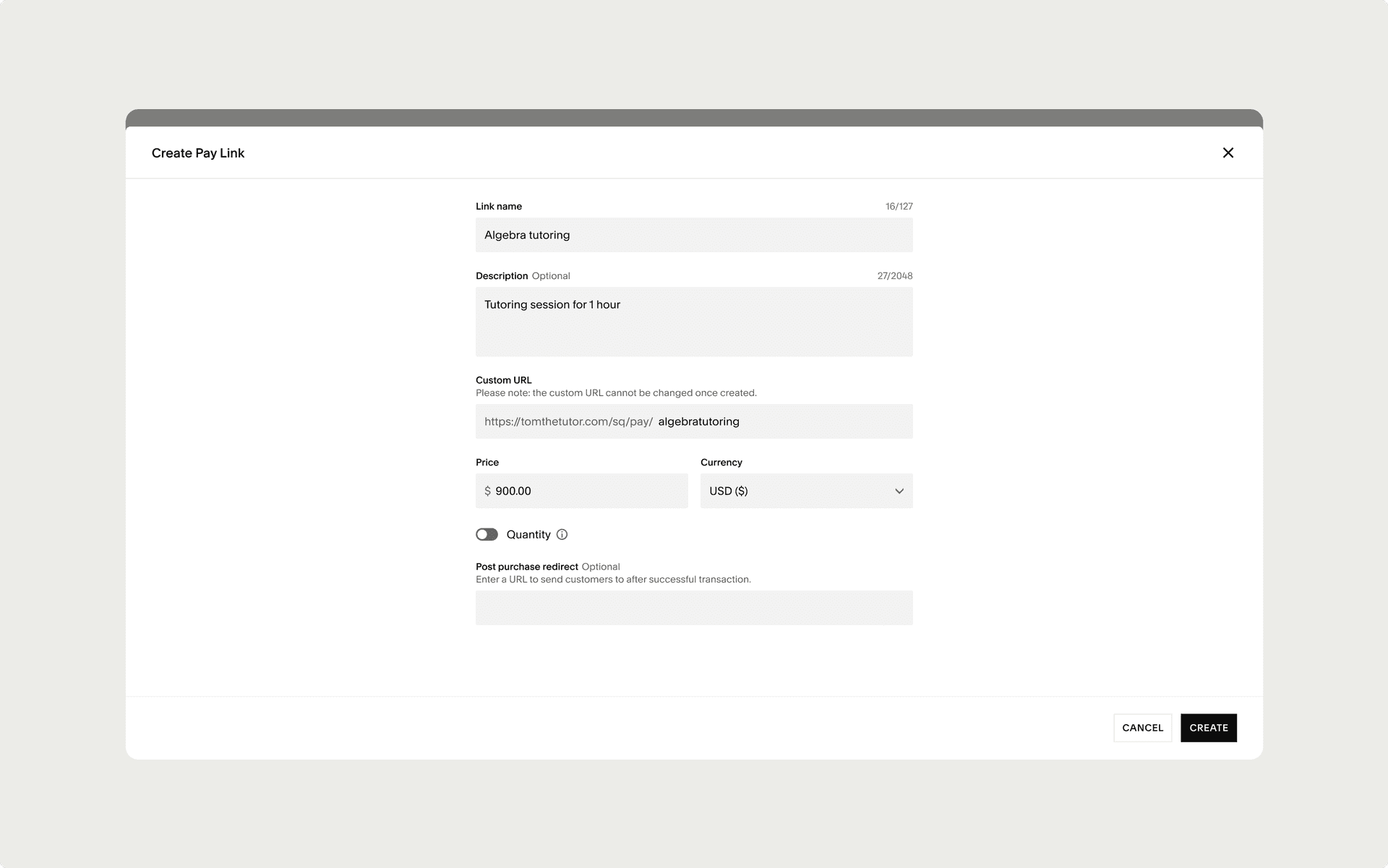
Creating a link is a form with quiet flexibility. Customers can add quantity caps, switch currencies, attach a note, and pick a custom slug. The harder problem was that each link could be different in its inputs, but the dashboard table needed to render them all consistently. Getting engineering, design, and PayPal aligned on which fields were optional, which had defaults, and how each one rendered in the table took several rounds of iteration. The form is simple. The system behind it isn't.
A cross-sell banner appears once a customer has connected PayPal, suggesting Squarespace's full Commerce product as the natural next step. It's there from the moment they become a seller, not just when they hit the ten-link cap. The reasoning: anyone who's set up a PayPal account through Domains has already declared commercial intent, and a website is a legitimate next step for them at any point in that journey. The cap matters less than the signal.
Impact
Pay Links launched gradually and shipped to 100% of eligible Domains customers in May 2026. It was a growth bet as much as a feature, measured against four specific bets:
- Domains-only customers can start selling within minutes of buying a domain.
- The Domains dashboard becomes a place customers come back to, not just a confirmation screen.
- Customers who use Pay Links are more likely to renew their domain and graduate into Websites and Commerce.
- PayPal becomes a real acquisition channel for Squarespace, not just a payments partner.
Early signals support each of those bets. Tens of thousands of Domains customers have visited the new entry point, hundreds have connected PayPal and made Pay Links part of how they run their business, and the dashboard now resolves the open question Domains customers used to leave with. The longer-term work, renewal lift, upgrade paths into Websites and Commerce, and PayPal as a top-of-funnel channel, is what the next phase tests.